

A reliable business security system protects employees, customers, inventory, equipment, records, and restricted areas. However, locks and access systems can become outdated, damaged, or unsuitable as a company grows. A system that worked for a small office may no longer provide adequate protection after the business adds employees, expands its operating hours, or occupies additional space.
Recognizing the warning signs of an outdated security system can help Irving business owners address vulnerabilities before they lead to unauthorized entry, theft, or a disruptive business lockout. A professional security evaluation can determine whether the property needs lock repair, rekeying, new commercial hardware, electronic access control, or a more comprehensive upgrade.
Why Business Security Systems Need Regular Evaluation
Commercial doors and locks generally experience more use than residential hardware. Employees, vendors, customers, cleaners, delivery personnel, and managers may enter through the same doors throughout the day.
Over time, this activity can affect:
- Lock cylinders
- Keys and credentials
- Door closers
- Hinges
- Latches and deadbolts
- Strike plates
- Keypads and card readers
- Exit devices
- Electronic locking components
- Access permissions
Business operations also change. The number of authorized users may increase, sensitive areas may be added, and old keys may remain in circulation after employees leave. Regular review helps ensure that the business security system still matches the property’s current risks and access needs.
1. Your Locks Are Difficult to Operate
A lock that sticks, jams, or requires excessive force may be approaching failure. Staff members should not need to lift, push, or pull a door aggressively while turning the key.
Common warning signs include:
- Keys are difficult to insert
- The cylinder resists turning
- The lock feels loose
- The latch does not retract fully
- The deadbolt scrapes against the strike
- The key works only after repeated movement
- The door does not latch consistently
- Employees report frequent access problems
The cause may be internal wear, door misalignment, a damaged key, loose hardware, or a deteriorated frame. Timely lock repair can reduce the risk of a sudden failure or business lockout.
If the hardware is badly worn or no longer appropriate for the door, professional lock installation may provide a more dependable solution.
2. Keys Are Missing or Unaccounted For
Traditional keys can be copied, misplaced, loaned, or retained by former employees. If management cannot identify who holds each key, the property may have a serious access-control problem.
Unaccounted-for keys are especially concerning when they operate:
- Exterior entrances
- Management offices
- Stockrooms
- Cash-handling areas
- File rooms
- Server rooms
- Utility spaces
- Employee-only entrances
- Gates or loading areas
Rekeying may be sufficient when the existing locks remain in good condition. The internal configuration is changed so old keys no longer work, and authorized users receive new keys.
Businesses with frequent staff changes may benefit from an electronic access control system that allows individual credentials to be activated or removed without replacing physical keys throughout the building.
3. Former Employees Still Have Access
Employee departures should trigger an immediate review of keys, cards, codes, and mobile credentials. Collecting a physical key does not guarantee that another copy was never made.
Access should be updated after:
- An employee resigns
- A staff member is terminated
- A contractor completes a project
- A temporary worker’s assignment ends
- A vendor relationship changes
- Management responsibilities are reassigned
- A tenant vacates part of a commercial property
If credentials are shared among multiple people, it may be difficult to remove only one user. A modern access control or smart lock system can assign individual credentials, making it easier to revoke access without affecting everyone else.
4. Everyone Uses the Same Key or Code
A shared key or access code may be convenient, but it provides limited accountability. If the code is disclosed or a key is lost, the business may need to change access for every user.
Shared credentials make it difficult to determine:
- Who entered the building
- When access occurred
- Whether a former employee still knows the code
- How many key copies exist
- Who accessed a restricted area
- Whether a credential was used outside normal hours
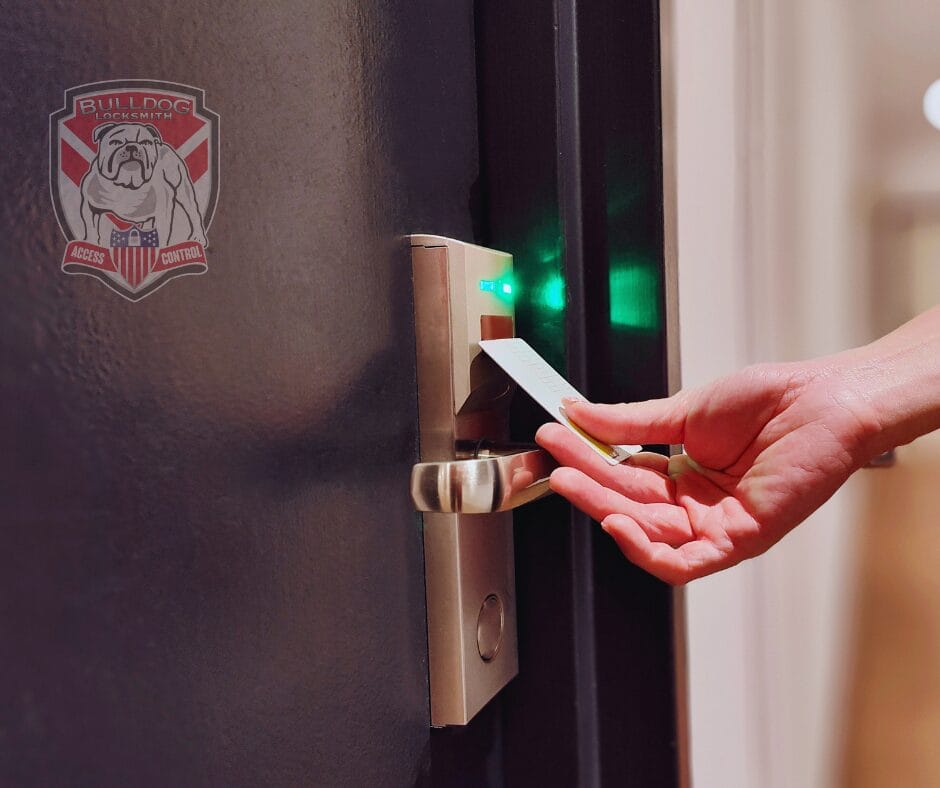
An access control system can assign unique cards, codes, fobs, or mobile credentials to authorized users. Depending on the system, management may also establish schedules, restrict specific doors, and review access records.
Access logs can support security management, but businesses should establish appropriate privacy, retention, and administrative policies for their use.
5. Your Current Locks Are Outdated
Older locks may still operate but may no longer suit the building’s security needs. Basic hardware installed many years ago may offer limited key control, durability, or compatibility with current access systems.
An upgrade may be appropriate when:
- Locks are heavily worn
- Replacement parts are difficult to obtain
- Keys are easily duplicated
- Hardware does not match current door use
- The business has expanded
- Restricted areas have been added
- Different doors use unrelated key systems
- The property relies on low-grade residential hardware
- Electronic integration is needed
A commercial locksmith can evaluate the doors, frames, hardware, traffic level, and security priorities before recommending replacements.
6. You Experience Frequent Business Lockouts
A recurring business lockout is more than an inconvenience. It can prevent employees from opening on time, interrupt customer service, delay deliveries, and create lost productivity.
Repeated lockouts may result from:
- Lost keys
- Shared credentials
- Broken keys
- Worn cylinders
- Forgotten codes
- Dead smart-lock batteries
- Faulty card readers
- Door misalignment
- Incorrect programming
- Inadequate key-management procedures
Calling an emergency locksmith may resolve the immediate situation, but repeated problems suggest the underlying system needs attention. A professional can recommend improved key control, backup-entry procedures, lock replacement, or electronic access options.
7. Doors Do Not Close or Latch Reliably
A strong lock cannot protect a door that does not close correctly. Commercial doors may become misaligned because of worn hinges, damaged closers, frame movement, heavy use, or impact.
Look for:
- Doors that remain partly open
- Latches that miss the strike plate
- Deadbolts that cannot extend fully
- Doors that drag against the frame
- Closers that shut too slowly or too quickly
- Gaps around the door
- Employees propping doors open
- Locks that work only when the door is forced into position
Security upgrades should address the complete door assembly—not only the cylinder. The door, frame, hinges, closer, lock, strike, and exit hardware must work together.
8. Locks or Doors Show Signs of Tampering
Scratches do not always indicate an attempted break-in, but fresh damage around a keyway, latch, frame, or electronic reader should be investigated.
Possible warning signs include:
- Bent or loose hardware
- Deep scratches near the cylinder
- A damaged strike plate
- Splintered or distorted door material
- Exposed screws
- Broken keypads
- Cut wiring
- Cracked card readers
- Unexplained access errors
- Doors that suddenly fail to align
Document the condition and review any available security footage or access records. A professional locksmith can inspect the hardware and recommend repair or replacement.
If criminal activity is suspected, contact the appropriate authorities and preserve relevant evidence.
9. Your Business Has Expanded or Changed
A security system should evolve with the business. A single lock and key may have been adequate when the company had a small staff, but growth can create new access requirements.
A security upgrade may be needed after:
- Hiring additional employees
- Opening new departments
- Adding storage or inventory areas
- Expanding into neighboring space
- Extending operating hours
- Installing valuable equipment
- Creating a server or records room
- Adding a loading entrance
- Changing the customer-access layout
- Introducing hybrid or after-hours work
A scalable smart lock system or access-control solution may allow management to organize permissions by person, door, role, or schedule.
10. Sensitive Areas Are Not Properly Restricted
Not every employee or visitor needs access to every area. Businesses may need separate security for offices, stockrooms, medication storage, financial records, equipment rooms, or utility spaces.
Warning signs include:
- One key opens nearly every door
- Restricted rooms are frequently left unlocked
- Staff members borrow keys from one another
- Visitors can enter employee-only areas
- Managers cannot revoke individual access
- Access permissions do not match job roles
- Storage rooms rely on damaged or lightweight locks
Layered business security allows access to be limited according to operational needs. Mechanical key systems, keypad locks, electronic credentials, and other access-control tools can be combined when appropriate.
11. You Cannot Monitor or Manage Access Efficiently
Traditional locks may remain suitable for some doors, but they provide limited information about when a door was accessed or whose key was used.
A business may benefit from updated access control when management needs to:
- Add or remove users quickly
- Establish access schedules
- Restrict particular doors
- Issue temporary credentials
- Review access activity
- Manage multiple entrances
- Reduce physical key distribution
- Coordinate access across departments
The system should be selected according to the size and needs of the property. A small office may require only a few controlled doors, while a larger facility may need centralized administration.
12. Electronic Locks Are Becoming Unreliable
Electronic systems require maintenance just like mechanical locks. Battery problems, aging readers, damaged wiring, outdated software, or poor configuration can make access inconsistent.
Signs of trouble include:
- Delayed unlocking
- Repeated credential errors
- Intermittent reader operation
- Rapid battery depletion
- Users being denied unexpectedly
- Doors failing to secure
- Mobile access that frequently disconnects
- Missing or inaccurate activity records
- Hardware that is no longer supported
Do not wait for complete failure. A malfunctioning electronic lock can create both a security risk and a business lockout.
A commercial locksmith familiar with smart hardware can determine whether the system needs maintenance, reprogramming, component replacement, or a full upgrade.
13. You Lack a Reliable Emergency Access Plan
Every business should have a plan for lockouts, lost credentials, damaged locks, and after-hours access problems.
The plan should identify:
- Who can authorize locksmith service
- Which managers hold backup credentials
- How employee identity is verified
- Where system documentation is stored
- Who can administer electronic access
- What happens during a power or network outage
- How emergency responders can obtain lawful access
- Which emergency locksmith to contact
- How the property will be secured after a break-in
Without a documented process, employees may force doors, share administrator codes, or call an unverified provider during a stressful situation.
14. Repairs Are Becoming More Frequent
One isolated repair does not necessarily justify replacement. However, recurring problems across several doors may indicate that the system has reached the end of its practical service life.
Track:
- Repeated service calls
- Replacement-key requests
- Broken keys
- Failed cylinders
- Misaligned doors
- Electronic errors
- Battery changes
- Employee lockout reports
- Unauthorized-access concerns
- Temporary fixes that fail
If repair costs continue to rise, installing updated locks may provide greater reliability and easier management.
Lock Repair vs. Security-System Upgrade
The correct solution depends on the condition of the hardware and whether the current system still meets the company’s needs.
| Condition | Possible solution |
|---|---|
| One sticking cylinder | Lock repair or cylinder replacement |
| Loose commercial hardware | Adjustment, reinforcement, or repair |
| Missing employee key | Rekeying or credential replacement |
| Frequent employee turnover | Managed access-control system |
| Repeated business lockouts | Key-management and hardware review |
| Outdated mechanical locks | New commercial lock installation |
| Unreliable electronic reader | Component repair or system upgrade |
| Shared access code | Individual credentials |
| Damaged door or frame | Door, frame, and hardware repair |
| Multiple uncontrolled entrances | Coordinated security plan |
A professional assessment can help the business prioritize immediate vulnerabilities while planning longer-term improvements.
Benefits of Modern Access Control
Modern access control can provide more flexibility than a traditional shared-key system.
Depending on the chosen technology, potential benefits include:
- Individual user credentials
- Quick removal of former users
- Time-based permissions
- Door-specific access
- Temporary credentials
- Reduced physical key distribution
- Access activity records
- Centralized management
- Integration with selected security systems
- Easier expansion to additional doors
Access control is not limited to large corporations. Smaller offices, retail stores, clinics, warehouses, and service businesses may also benefit from controlling who can enter employee-only or sensitive areas.
Is a Smart Lock System Right for Every Business?
A smart lock system can be useful, but it is not automatically the correct solution for every commercial door.
Before choosing smart hardware, evaluate:
- Door type and condition
- Number of users
- Traffic level
- Required credential types
- Network availability
- Battery or power requirements
- Emergency and backup access
- Administrative responsibility
- Compatibility with existing systems
- Local code and life-safety requirements
- Ongoing maintenance and software support
Certain doors require specialized commercial, fire-rated, or exit hardware. A consumer-grade smart lock may not be appropriate for a high-traffic business entrance or code-regulated opening.
What to Expect From a Commercial Security Assessment
A professional commercial locksmith may review:
- Exterior and interior doors
- Lock and cylinder condition
- Key-control procedures
- Door and frame alignment
- Hinges, closers, and strike plates
- Exit and panic hardware
- Restricted areas
- Electronic locks and readers
- Employee access practices
- Emergency-entry procedures
- Previous lockouts or security incidents
- Future growth plans
The goal is to identify practical improvements rather than automatically replace every lock. Some doors may need only adjustment or lock repair, while others may require upgraded hardware or electronic management.
How to Plan a Business Security Upgrade
A structured plan can help control cost and reduce disruption.
Step 1: Identify Priority Areas
Begin with exterior entrances, high-value rooms, cash-handling areas, records, inventory, and spaces containing sensitive equipment.
Step 2: Review Every Authorized User
Identify who has keys, codes, cards, fobs, or administrative access. Remove permissions that are no longer needed.
Step 3: Inspect the Complete Door Assembly
Evaluate the door, frame, hinges, closer, lock, strike, and exit hardware. New locks cannot compensate for a damaged frame or improperly closing door.
Step 4: Select Compatible Hardware
Choose locks and access systems suited to the door type, traffic level, operational requirements, and applicable safety rules.
Step 5: Plan the Installation
Coordinate work to reduce interruption to employees and customers. Temporary security may be needed while doors are being serviced.
Step 6: Establish Management Procedures
Assign responsibility for issuing credentials, removing users, reviewing permissions, replacing batteries, and arranging future service.
Step 7: Test and Maintain the System
Confirm that all doors secure and release correctly. Schedule periodic inspections and respond promptly to error messages or mechanical warning signs.
Choosing a Professional Locksmith in Irving, Texas
The provider you select should understand commercial hardware, door operation, key control, and electronic-access requirements.
When choosing a professional locksmith in Irving, Texas, consider:
- Experience with commercial properties
- Clear identification and business information
- Detailed service recommendations
- Familiarity with mechanical and electronic locks
- Appropriate hardware for high-traffic doors
- Emergency service availability
- Transparent estimates
- Willingness to explain repair and replacement options
- A process for verifying authorization
- Knowledge of applicable door and life-safety requirements
Avoid hiring based only on the lowest advertised price. The final scope may differ significantly depending on hardware, labor, access conditions, and the actual cause of the problem.
Improve Business Security With Bulldog Locksmith
An outdated security system can create frequent lockouts, uncontrolled keys, unreliable doors, and difficulty managing employee access. Addressing these warning signs early can help protect the business while reducing operational disruption.
Bulldog Locksmith provides commercial locksmith services in Irving, Texas, including lock repair, professional lock installation, rekeying, access-control solutions, smart-lock systems, business lockout assistance, and emergency locksmith service.
Whether you need to repair one commercial lock or plan a broader business security upgrade, Bulldog Locksmith can inspect the property, identify vulnerable entry points, and recommend solutions suited to your doors and operations.
Contact us today at (682) 717-2064, visit www.bulldoglocksmith.com, or stop by our office at 445 N. Briery Rd., Irving, TX 75061 to schedule a consultation and discover how we can help keep your business secure.
Frequently Asked Questions
How often should a business security system be evaluated?
Businesses should review their locks and access permissions regularly and after employee departures, lost keys, attempted break-ins, renovations, operational changes, or recurring hardware problems.
What are the clearest signs that commercial locks need replacement?
Replacement may be needed when locks are heavily worn, frequently jam, have sustained damage, no longer provide appropriate key control, or require repeated repairs.
Should a business rekey its locks when an employee leaves?
Rekeying may be advisable when a departing employee had a physical key and the business cannot confirm that no duplicate exists. Electronic credentials can generally be removed individually.
Can access control prevent a business lockout?
Access control may reduce lockouts by providing multiple managed credentials and administrative options. However, businesses still need backup procedures for hardware, battery, power, network, or administrator-access failures.
What is the difference between lock repair and lock installation?
Lock repair corrects problems with existing hardware when it remains serviceable. Lock installation replaces or adds hardware when the current lock is damaged, outdated, or unsuitable.
Is a smart lock system appropriate for commercial doors?
It can be, provided the hardware is compatible with the door, traffic level, power requirements, security goals, and applicable safety rules. Not every consumer smart lock is suitable for commercial use.
When should a business call an emergency locksmith?
Emergency service may be needed when authorized personnel cannot enter, a door will not secure, a key breaks, hardware fails, or damage leaves the property vulnerable.
What does a commercial locksmith inspect during a security assessment?
A commercial locksmith may examine locks, cylinders, doors, frames, hinges, closers, exit devices, key-management practices, electronic readers, restricted areas, and emergency-access procedures.