
A commercial security assessment helps an office identify weaknesses in its locks, doors, key-control procedures, and electronic access systems before those weaknesses lead to unauthorized entry or business disruption. Rather than recommending the same equipment for every property, an assessment examines how employees, visitors, vendors, and managers actually use the building.
For offices in Irving, Texas, regular security reviews can improve access management, reduce preventable lockouts, and help decision-makers prioritize the upgrades that provide the greatest practical value.
What Is a Commercial Security Assessment?
A commercial security assessment is a structured evaluation of the physical entry points and access procedures used throughout a business.
A commercial locksmith may examine:
- Exterior entrances
- Employee doors
- Interior restricted areas
- Emergency exits
- Door frames
- Lock cylinders
- Deadbolts and mortise locks
- Keypad locks
- Smart locks
- Door closers
- Panic and exit hardware
- Master key systems
- Mechanical key records
- Electronic credentials
- Access-control equipment
- Emergency access procedures
The goal is to identify vulnerabilities, operational problems, and opportunities to improve business security. The assessment should distinguish urgent repairs from recommended upgrades and optional conveniences.
Why Offices Develop Security Gaps
Office security changes over time. A lock system that worked well when a company had ten employees may be difficult to manage after the organization expands to fifty employees, multiple departments, and frequent contractors.
Security gaps commonly develop because of:
- Employee turnover
- Lost or unreturned keys
- Unauthorized key duplication
- Damaged locks
- Door-frame movement
- Worn commercial hardware
- Shared keypad codes
- Outdated access permissions
- Office remodeling
- Department changes
- New inventory or equipment
- Inconsistent opening and closing procedures
- Lack of maintenance
A commercial security assessment documents the current condition of the office rather than relying on assumptions about how the system was originally installed.
1. An Assessment Identifies Weak Entry Points
The front entrance is rarely the only way into an office. Side doors, rear entrances, loading areas, shared hallways, storage rooms, and garage doors may receive less attention while still providing access to valuable property.
An assessment should review:
- Whether each door closes fully
- Whether the latch engages
- Whether the deadbolt extends completely
- Whether the frame is damaged
- Whether hinges are exposed or loose
- Whether strike hardware is secure
- Whether glass creates a nearby access vulnerability
- Whether exterior lighting is adequate
- Whether locks match the risk level
A high-quality lock cannot provide its intended protection when installed on a weak door or damaged frame. Effective lock installation considers the complete opening.
2. An Assessment Reveals Key-Control Problems
Physical keys are reliable, but they can become difficult to manage when businesses do not maintain accurate records.
Key-control problems include:
- No list of issued keys
- Keys without identifying numbers
- Employees keeping keys after departure
- Unrestricted duplication
- Shared master keys
- Lost keys that were never addressed
- Contractors receiving permanent access
- Keys stored in unsecured desks
- No procedure for reporting missing keys
An assessment can determine whether the office should:
- Rekey selected locks
- Replace damaged cylinders
- Introduce restricted keys
- Redesign a master key system
- Move certain doors to electronic access
- Create formal issuance and return procedures
Not every lost key requires replacing every lock. The correct response depends on what the key opens and whether it can be connected to the business.
3. It Helps Prevent Business Lockouts
A business lockout can prevent employees from opening the office, delay appointments, interrupt deliveries, and frustrate customers.
Lockouts may result from:
- Lost opening keys
- Broken keys
- Failed lock cylinders
- Incorrect keypad codes
- Dead smart-lock batteries
- Expired credentials
- Door misalignment
- Damaged panic hardware
- Electronic access-control failure
A security assessment can identify single points of failure and help the business create backup procedures.
Useful preparations may include:
- Designating multiple authorized opening employees
- Maintaining secure backup credentials
- Documenting manual-override procedures
- Monitoring electronic-lock batteries
- Scheduling routine hardware maintenance
- Saving contact information for emergency lock assistance
- Assigning responsibility for access administration
The goal is not to give unrestricted access to more people. It is to provide controlled backup options when a primary credential fails.
4. It Evaluates Employee Access Levels
Not every employee needs access to every room. Unrestricted keys may create avoidable exposure to records, inventory, equipment, cash, medications, or customer information.
An assessment can help define access groups such as:
- General employees
- Department managers
- Executives
- Human-resources staff
- Information-technology personnel
- Cleaning crews
- Contractors
- Building management
- Emergency personnel
Access should be based on job responsibilities rather than convenience. Limiting access can improve security while making it easier to determine who should receive or surrender credentials during role changes.
5. It Determines Whether an Access Control System Is Appropriate
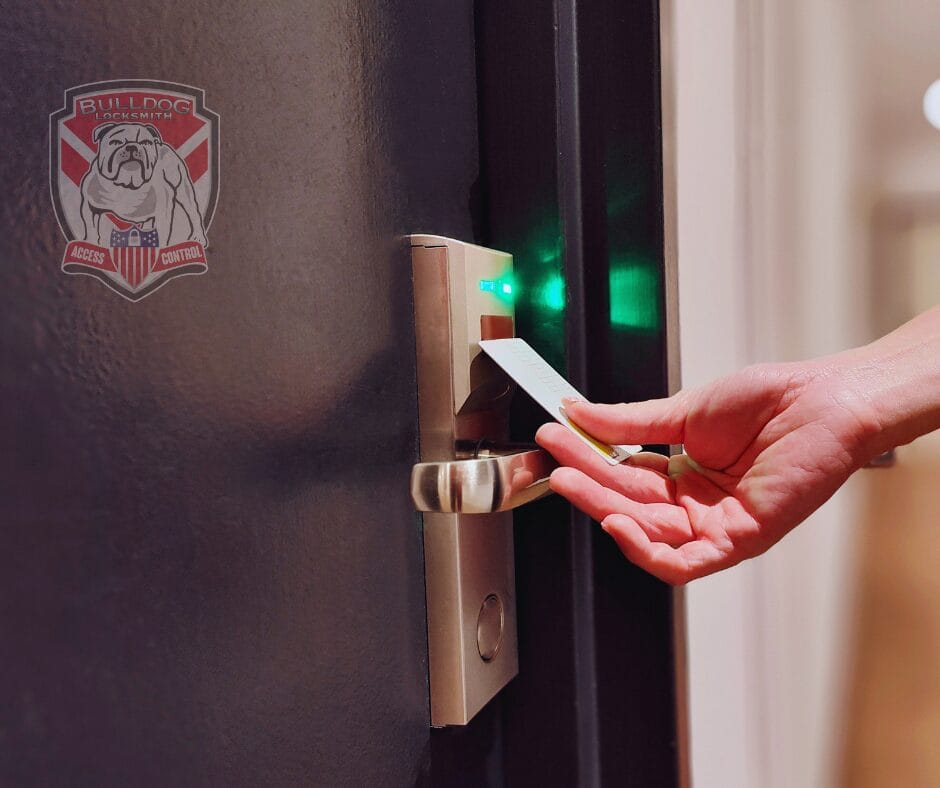
An access control system may use cards, key fobs, mobile credentials, PIN codes, or other electronic methods to authorize entry.
Electronic access can provide benefits such as:
- Individual credentials
- Immediate credential removal
- Scheduled access
- Temporary visitor access
- Centralized administration
- Door-status monitoring
- Activity records
- Multi-location management
However, access control is not automatically the right solution for every door. A small office with stable staffing may be adequately served by a well-managed mechanical key system. A growing business with frequent personnel changes may benefit more from electronic credentials.
The assessment should compare the cost, administration, reliability, and maintenance requirements of each option.
6. It Evaluates Smart-Lock Opportunities
Professional smart lock installation may help offices reduce physical-key management and support flexible schedules.
Commercial smart locks may provide:
- Individual user codes
- Smartphone credentials
- Temporary access
- Automatic locking
- Remote status checks
- Low-battery alerts
- Access schedules
- Activity records
- Integration with compatible security platforms
Smart locks require responsible administration. The assessment should consider:
- Door and frame compatibility
- Commercial traffic levels
- Battery or power requirements
- Internet dependence
- Mechanical backup access
- Administrator-account security
- Credential-removal procedures
- Fire and emergency-exit requirements
Consumer-grade residential smart locks may not be suitable for high-use commercial doors.
7. It Checks Emergency Exit Hardware
Office security should never interfere with safe evacuation. Panic bars, exit devices, door closers, electrified locks, and related hardware must permit appropriate egress.
An assessment may identify:
- A panic bar that sticks
- A closer that prevents latching
- A damaged exit device
- Improper additional locks
- Misaligned doors
- Electronic locks that do not release correctly
- Blocked or obstructed exits
- Hardware modified without proper review
Security upgrades involving emergency exits should be coordinated with applicable fire, building, accessibility, and life-safety requirements. A commercial locksmith can evaluate the hardware, but property owners may also need guidance from code officials, fire-safety professionals, or other qualified specialists.
8. It Finds Door Problems Before They Damage Locks
Many lock problems begin with the door rather than the lock itself. A door that sags or fails to close correctly may place excessive pressure on the latch or deadbolt.
Warning signs include:
- The door must be lifted to lock
- The latch rubs against the strike
- The closer slams or leaves the door open
- Hinges are loose
- The frame is cracked
- Weather changes affect alignment
- The deadbolt does not extend fully
- The lock operates only when pressure is applied
Installing a new lock without correcting alignment may lead to continued failures. A thorough assessment examines the mechanical condition of every important opening.
9. It Identifies Outdated or Damaged Hardware
Commercial locks and door components wear through regular use. High-traffic entrances may complete hundreds of operating cycles each day.
Hardware may need lock installation or repair when:
- Keys repeatedly stick
- Cylinders feel loose
- Latches fail to retract
- Locks show impact damage
- Door closers leak or malfunction
- Panic hardware does not operate smoothly
- Parts are missing
- Corrosion is extensive
- Replacement components are unavailable
- The hardware no longer meets business needs
Early repairs may prevent complete lock failure and reduce the likelihood of emergency service.
10. It Reviews Protection for Sensitive Areas
Some rooms require more control than general office spaces.
These may include:
- Server rooms
- File rooms
- Executive offices
- Inventory storage
- Cash-handling areas
- Medication storage
- Human-resources departments
- Utility rooms
- Network closets
- Equipment rooms
A security assessment can determine whether these areas need stronger mechanical locks, restricted keys, individual access credentials, activity records, or additional monitoring.
The solution should match the value and sensitivity of what is being protected.
11. It Examines Visitor and Vendor Access
Visitors, cleaners, maintenance providers, contractors, and delivery personnel may need temporary access. Permanent keys or shared codes create unnecessary long-term exposure.
A better process may use:
- Temporary keypad codes
- Time-limited electronic credentials
- Staff escorts
- Visitor badges
- Controlled delivery areas
- Logged key issuance
- Scheduled access periods
- Immediate credential expiration
The assessment should consider how visitors enter, which areas they need, who authorizes them, and how their access ends.
12. It Improves Employee Offboarding
Former employees should not retain physical or digital access. A consistent offboarding process may include:
- Collecting keys
- Recovering cards and fobs
- Removing mobile credentials
- Disabling keypad codes
- Reviewing master-key exposure
- Rekeying when necessary
- Updating administrator accounts
- Documenting completed access removal
Electronic systems can simplify credential removal, but only when someone is responsible for administering them. Technology does not replace a clear procedure.
13. It Creates a Plan for Emergency Lock Assistance
Even well-maintained systems can fail. Offices should know who can authorize emergency work and how access will be verified.
An emergency plan should identify:
- Approved management contacts
- The office address and suite information
- Door and lock types
- Building-management contacts
- After-hours entry procedures
- Emergency locksmith information
- Proof-of-authorization requirements
- Alarm-disarming procedures
- Backup mechanical or electronic access
- Escalation steps for life-safety concerns
Emergency lock assistance is appropriate when the office cannot open, an exterior door cannot be secured, a key breaks, or critical hardware fails unexpectedly.
Call police, fire, or medical services—not a locksmith—when a crime is occurring, someone is in danger, or required emergency egress is compromised.
14. It Helps Prioritize the Security Budget
A professional assessment does not necessarily mean replacing every lock. It should help management separate immediate risks from long-term improvements.
Recommendations may be grouped as:
Immediate Priorities
- Exterior door that cannot lock
- Broken exit hardware
- Compromised lock after attempted entry
- Missing master key
- Failed access-control component
- Door that cannot close
Near-Term Improvements
- Worn locks
- Shared access codes
- Incomplete key records
- Weak strike hardware
- Unreliable door closers
- Outdated employee credentials
Long-Term Upgrades
- Smart lock installation
- Access-control expansion
- Master key redesign
- High-security hardware
- Centralized credential management
- Multi-location integration
Prioritization allows businesses to address significant vulnerabilities without purchasing unnecessary technology.
When Should an Office Schedule an Assessment?
An office should consider a commercial security assessment:
- After moving into a new space
- Before opening a new location
- After a break-in or attempted entry
- Following major employee turnover
- When keys cannot be accounted for
- Before installing smart locks
- When expanding or remodeling
- After changing property managers
- When access problems keep recurring
- When locks or doors become unreliable
- Before creating a master key system
- When compliance or insurance requirements change
Periodic reviews are also useful because staffing, layouts, and operating procedures change over time.
What Happens During a Commercial Security Assessment?
The process may include:
- Discussing the business’s concerns and daily routines
- Identifying important exterior and interior doors
- Inspecting locks, frames, hinges, and closers
- Reviewing key-control procedures
- Evaluating restricted areas
- Checking electronic access components
- Reviewing emergency and after-hours procedures
- Identifying immediate safety or security problems
- Discussing mechanical and electronic options
- Preparing prioritized recommendations
The final recommendations should explain the problem, proposed solution, expected operational impact, and whether the work is urgent.
Questions to Ask a Commercial Locksmith
Before approving an assessment or upgrade, ask:
- Which doors and systems will be reviewed?
- Will you inspect frames, closers, and exit hardware?
- How will recommendations be prioritized?
- Can existing hardware be repaired or rekeyed?
- Is access control necessary for every selected door?
- What happens during a power or network outage?
- How will employee credentials be managed?
- What maintenance does the system require?
- Are ongoing software fees involved?
- What warranties apply to hardware and labor?
A trustworthy commercial locksmith should recommend solutions based on the property rather than automatically proposing the most expensive system.
Office Security Assessment Checklist
Use this abbreviated checklist between professional reviews:
- Exterior doors close and latch fully
- Locks operate without sticking
- Frames and strike plates are secure
- Employee keys are documented
- Former employee access has been removed
- Shared codes have been eliminated where possible
- Electronic-lock batteries are monitored
- Restricted rooms have appropriate access controls
- Panic and exit hardware operates correctly
- Emergency access procedures are documented
- Management knows whom to call during a business lockout
- Security records and administrator accounts are protected
Any opening that cannot be secured or released safely should receive prompt professional attention.
Schedule a Commercial Security Assessment in Irving
A commercial security assessment gives office managers a clear understanding of how well their doors, locks, keys, and electronic credentials protect the workplace. It can uncover damaged hardware, uncontrolled keys, poor access procedures, and opportunities to improve security without disrupting normal operations.
Bulldog Locksmith provides commercial locksmith services in Irving, Texas, including business security assessments, lock installation, business lockout assistance, emergency lock service, access control systems, and smart lock installation.
Contact us today at (682) 717-2064, visit www.bulldoglocksmith.com, or stop by our office at 445 N. Briery Rd., Irving, TX 75061 to schedule a consultation and discover how we can help keep your business secure.
Frequently Asked Questions
What does a commercial security assessment include?
It may include an evaluation of exterior and interior doors, locks, frames, keys, access credentials, exit hardware, restricted areas, and emergency access procedures.
How often should an office receive a security assessment?
The appropriate schedule depends on the property and business. Reviews are especially useful after moving, remodeling, employee turnover, lost keys, attempted entry, or recurring lock problems.
Does every office need an access control system?
No. Some small offices may be adequately protected with properly installed locks and disciplined key control. Access control becomes more useful when credentials change frequently or several doors require different permissions.
Can an assessment prevent business lockouts?
It cannot prevent every lockout, but it can identify worn hardware and access weaknesses while helping the business develop backup credentials and emergency procedures.
Should office locks be changed after an employee leaves?
Not automatically. The appropriate response depends on whether keys were returned, copies could exist, and which areas the employee could access. Rekeying or credential removal may be recommended.
Are smart locks suitable for office doors?
Commercial-grade smart locks can be useful when they match the door, traffic, security needs, and applicable safety requirements. Professional evaluation and installation are recommended.