
A missing office key can delay opening. A contractor waiting outside can interrupt a manager’s work. When every access change involves collecting keys or arranging another handoff, small tasks can consume valuable time.
Smart locks can simplify these routines by giving businesses more flexible ways to manage authorized entry. For companies in Irving, TX, suitable electronic hardware can reduce access-related interruptions and make everyday administration easier.
The productivity benefit comes from matching the system to your workflow. Not every smart lock supports remote management, access schedules, or event records, so choosing the right features matters.
Spend Less Time Managing Physical Keys
Traditional keys require issuing, tracking, collecting, and sometimes replacing. As staff numbers grow, those tasks can become harder to manage.
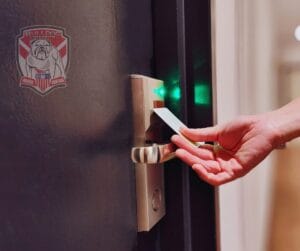
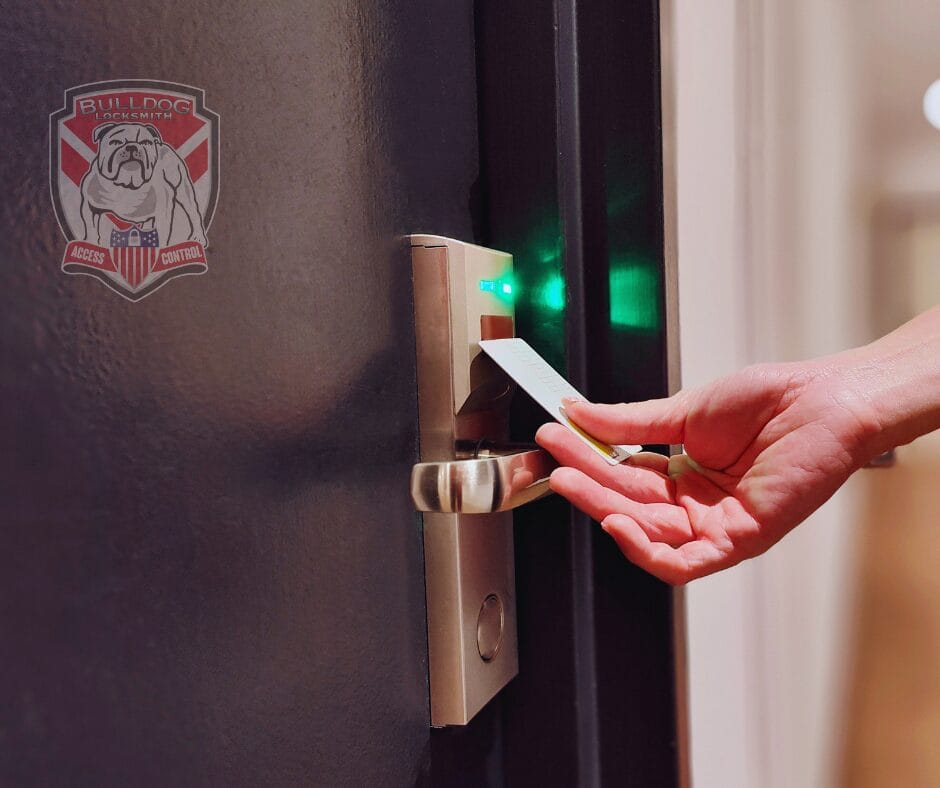
Depending on the system, smart locks may accept individual codes, cards, fobs, or mobile credentials. Employees can use their assigned access method rather than waiting for a manager to hand over a shared key.
For example, an opening supervisor with an individual credential may be able to enter without coordinating a daily key exchange. That can remove one source of delay before the team begins work.
Physical backup keys still need control. Keep a record of who holds them and what they operate, even if most employees use electronic credentials.
Make Employee Onboarding and Departures Easier
New employees need appropriate access from their first day. When someone leaves, that access needs to be reviewed promptly.
An access control system can let an authorized administrator assign or remove credentials. Where the system supports individual permissions, staff can receive access to the doors relevant to their role.
This can make routine personnel changes easier to administer. However, the timing of an update depends on the system: some changes require an update at the door or a scheduled synchronization rather than taking effect immediately.
Rekeying services may still be necessary when physical keys are missing or compromised. Removing a digital credential does not stop a mechanical backup key from working, and rekeying a cylinder does not revoke electronic permissions.
Coordinate Shift and Contractor Access
Businesses with early shifts, evening cleaners, or visiting contractors often need different access arrangements for different people.
Compatible systems can support scheduled access. A cleaner might receive a credential that works only during an approved evening window, while employees retain access appropriate to their shifts.
This can reduce repeated calls asking a manager to open the door. It also makes access arrangements more predictable when schedules change.
Before choosing hardware, confirm whether it supports individual schedules, temporary access, and the exceptions your business needs. Someone should be responsible for reviewing permissions when a contract ends or working hours change.
Reduce Some Causes of Business Lockouts
Misplaced keys are a common source of access problems. Electronic credentials can reduce reliance on a single physical key, but smart locks do not eliminate every business lockout.
A depleted battery, damaged mechanism, expired credential, or system fault can still prevent entry. A productivity plan should include a supported backup-access method, battery maintenance where applicable, and clear instructions for staff.
If access fails, explain whether the credential is rejected, the door hardware will not move, or the system cannot be reached. That information helps distinguish a permissions issue from a mechanical problem.
An emergency locksmith may be able to assist with supported hardware and authorized entry. Account administration or platform outages may require the system provider’s help instead.
Manage Access Without Constant Trips to the Door
Some connected systems let administrators manage users or review supported door information remotely. This may reduce unnecessary trips across a building or between locations.
For example, a manager might approve a new user through the management platform instead of arranging a physical key handoff. The time saved depends on the equipment, connectivity, and how updates reach the lock.
Ask specifically whether a proposed system is standalone, periodically connected, or continuously connected. A lock described as smart does not necessarily provide immediate remote unlocking or real-time credential changes.
Those distinctions matter when your business depends on rapid access decisions.
Use Access Records to Resolve Operational Questions
Certain commercial electronic locks provide event records that can help administrators investigate access problems. Records may show that a credential was used or that an access attempt occurred at a particular door.
That information can help answer practical questions, such as whether a contractor’s credential was accepted or whether a user tried the wrong entrance.
An access event does not prove that a specific person entered, completed a task, or worked a particular number of hours. Shared credentials also reduce the usefulness of records.
Use individual credentials where suitable, limit access to records, and explain the system’s purpose to staff. Treat door records as one source of operational information rather than a complete attendance system.
Choose Commercial Hardware That Fits the Opening
A consumer smart deadbolt is not automatically suitable for a busy storefront or office entrance. The existing door, locking function, frequency of use, and connected systems all affect the choice.
A commercial locksmith can assess compatibility and explain the installation work required. Professional lock installation should include checking the door and frame, reliable latching, supported power arrangements, and normal operation after setup.
The selected hardware should also preserve the opening’s required exit and fire-door functions where applicable. Existing panic hardware or a rated assembly may require a different solution from a residential-style lock.
Choosing equipment that fits the opening helps prevent recurring faults that would interrupt the very workflow you want to improve.
Measure the Benefit to Your Business
Smart locks are most useful when they solve a specific recurring problem. Before upgrading, identify where access currently costs your team time.
Consider tracking:
- Time spent issuing and collecting keys.
- Opening delays caused by missing access.
- Manager interruptions for contractors or visitors.
- Time needed to change employee permissions.
- Maintenance and support needs after installation.
Compare those tasks after the system is introduced. Include software fees, training, batteries, and administration when evaluating the overall benefit. Productivity gains depend on the workflow and implementation; they are not guaranteed by the lock alone.
Smart Lock Help for Businesses in Irving, TX
Bulldog Locksmith & Access Control lists commercial locksmith, access control, master key, and emergency locksmith services for Irving businesses. The team can discuss your existing doors and the options available for your access needs.
If you are looking for a professional locksmith in Irving, contact Bulldog Locksmith’s Irving location at 682-717-2064 or visit Bulldog Locksmith. Ask about hardware compatibility, installation scope, management features, service availability, and an estimate.
The right smart locks can help your team spend less time coordinating entry and more time handling the work that depends on it.
Frequently Asked Questions
Can smart locks replace all business keys?
Some systems can reduce everyday key use, but mechanical overrides or other backup-access methods may remain necessary. Confirm how the selected hardware handles normal entry and faults.
Do all smart locks allow remote access changes?
No. Some operate independently or require updates at the door. Others synchronize periodically or support real-time changes through compatible connected systems.
Will smart locks eliminate rekeying?
No. Rekeying may still be appropriate for a compromised physical cylinder. Digital access and mechanical key access need separate review.
Can smart locks be installed on existing commercial doors?
Possibly. Compatibility depends on the door, existing hardware, power needs, intended use, and requirements for the opening. Have the door assessed before purchasing equipment.